Selected outcomesIndependent concept
Blueprint
Paste any strength program and it runs itself. AI reads the fuzzy parts; code does the exact ones.
- Role
- Product, UX, visual design and front-end, built with an AI coding agent
- Timeline
- Concept to deployed app, 2026
- Stack
- Next.js 16, React 19, TypeScript, Tailwind CSS v4, Claude API, IndexedDB, Vitest
Quick read
Problem
The best strength programs live in posts and PDFs. Following one means rebuilding it in an app and calculating every next weight yourself.
Role
I designed the product, its flows and visual system, and directed an AI coding agent through the build, deciding what it made and what it threw away.
Intervention
One app with three places: Plan imports a pasted program, Train runs today's session offline, Review answers questions about your history. AI proposes; code checks and calculates.
Result
A deployed, installable web app with a public demo, accessibility-checked on every screen, and a second round shaped by people who tried it.
Deployed, installable web app
Program import, a rule engine, offline gym mode, history Q&A and week-by-week adjustments, live as a public demo.
Deep dive
Where programs live1 of 8
Where programs live
Most good strength programs, like GZCLP or 5/3/1, are written as forum posts, PDFs or spreadsheets. The progression rules are buried in prose: add five pounds when you hit every rep, drop to a new set scheme when you miss. At the gym that means a spreadsheet on a phone, or rebuilding the template in a logging app and doing the math in your head.
I lift, and I wanted a project where AI does something a script can't, without letting it touch the numbers that decide what goes on the bar.
AI proposes, code decides
Every feature follows one rule. The model reads messy input, a pasted program, a vague question, “I'm traveling this week”, and proposes something. Deterministic code checks the proposal, does the math and has the final say. You always see what the AI did and can correct it.
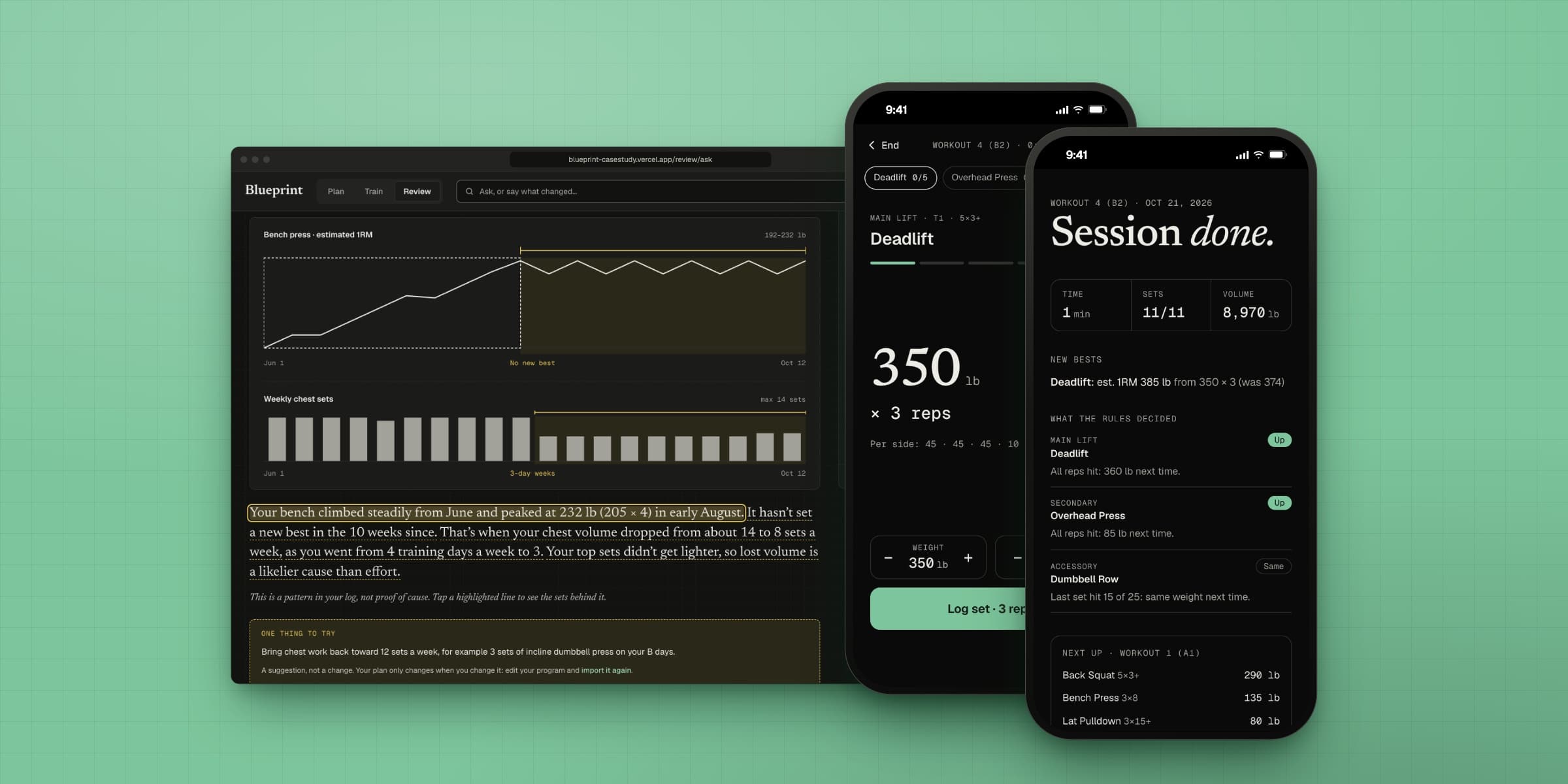
- Plan: paste a program, check what the AI read, and a rule engine runs it from then on.
- Train: today's targets, calculated by the rules, logged set by set in a gym mode that works offline.
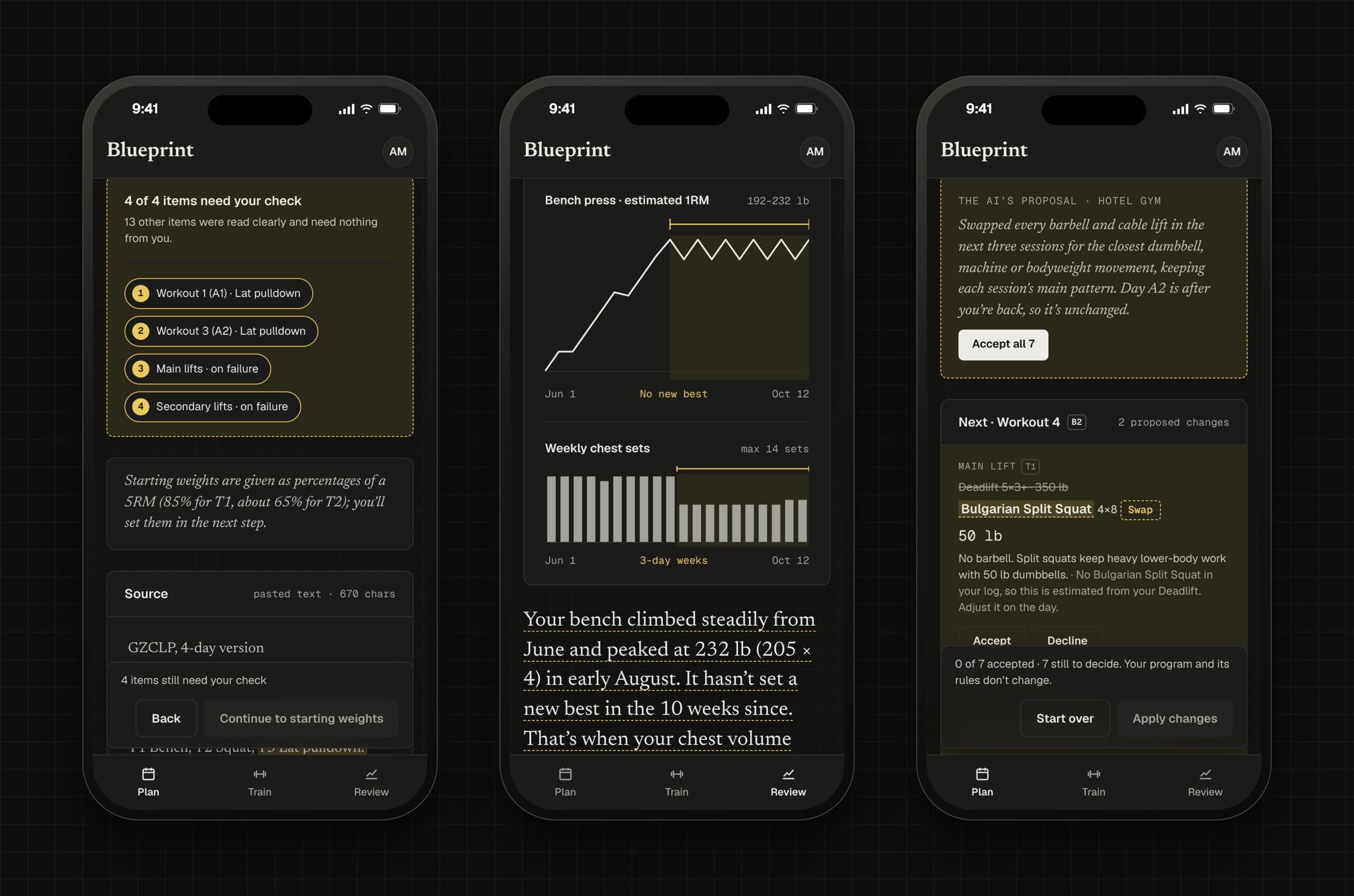
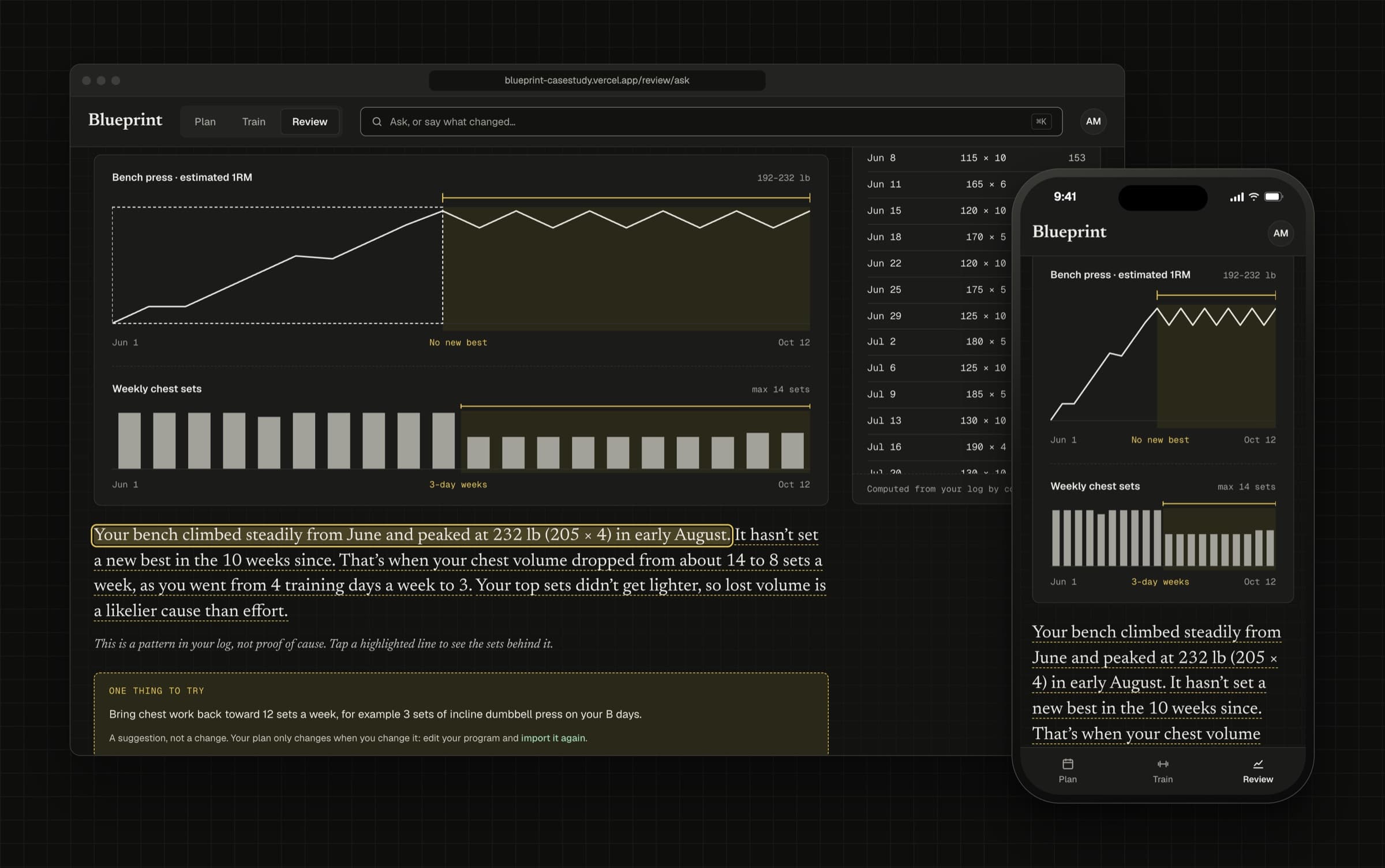
- Review: ask your history anything. The AI picks which analyses to run; code runs them, and every claim links to the sets behind it.
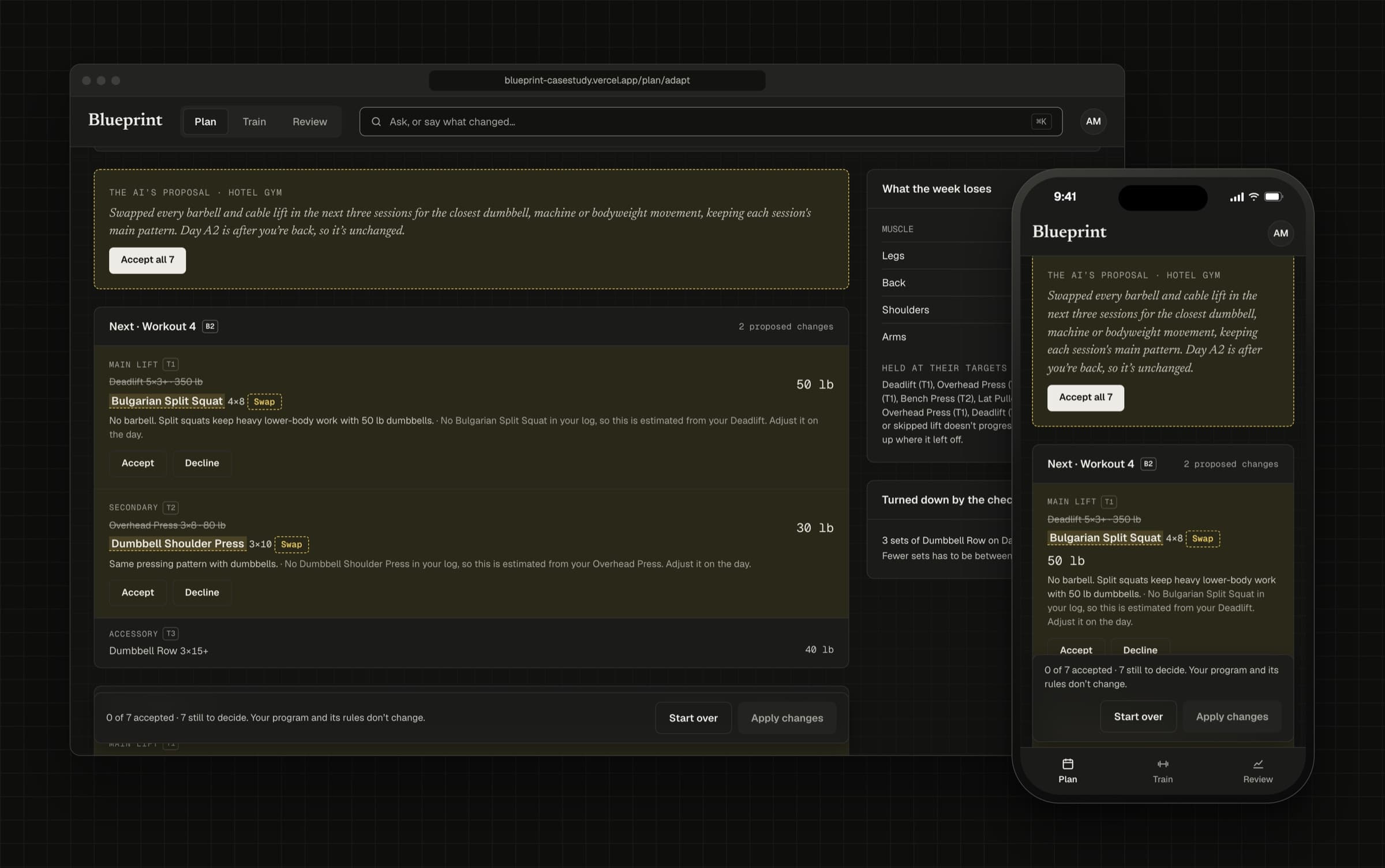
- Bend the week: say what changed and the AI proposes swaps. Code checks each one against the gym's equipment and sets the weights.
Considered and rejected
Letting the AI write the weights
Models are good at reading a program and bad at being exactly right every time. Every target comes from the rule engine, and every number in an answer comes from a calculation the code ran.
Generating programs with AI
Lifters already trust programs written by coaches. The product respects those and makes them run, rather than inventing new ones.
A native app
People use this on a phone at the gym, so it's mobile-first, but an installable web app gives home-screen install and offline use without a store, and the web is where I'm strongest.
Showing where to look
The signature screen is import review: your pasted text on one side, the structure the AI read on the other. Amber is reserved for AI output you haven't confirmed, and only what the model wasn't sure about is amber, numbered and counted down as you check it. Everything read clearly is quiet, with a check, so your attention goes where it's needed.
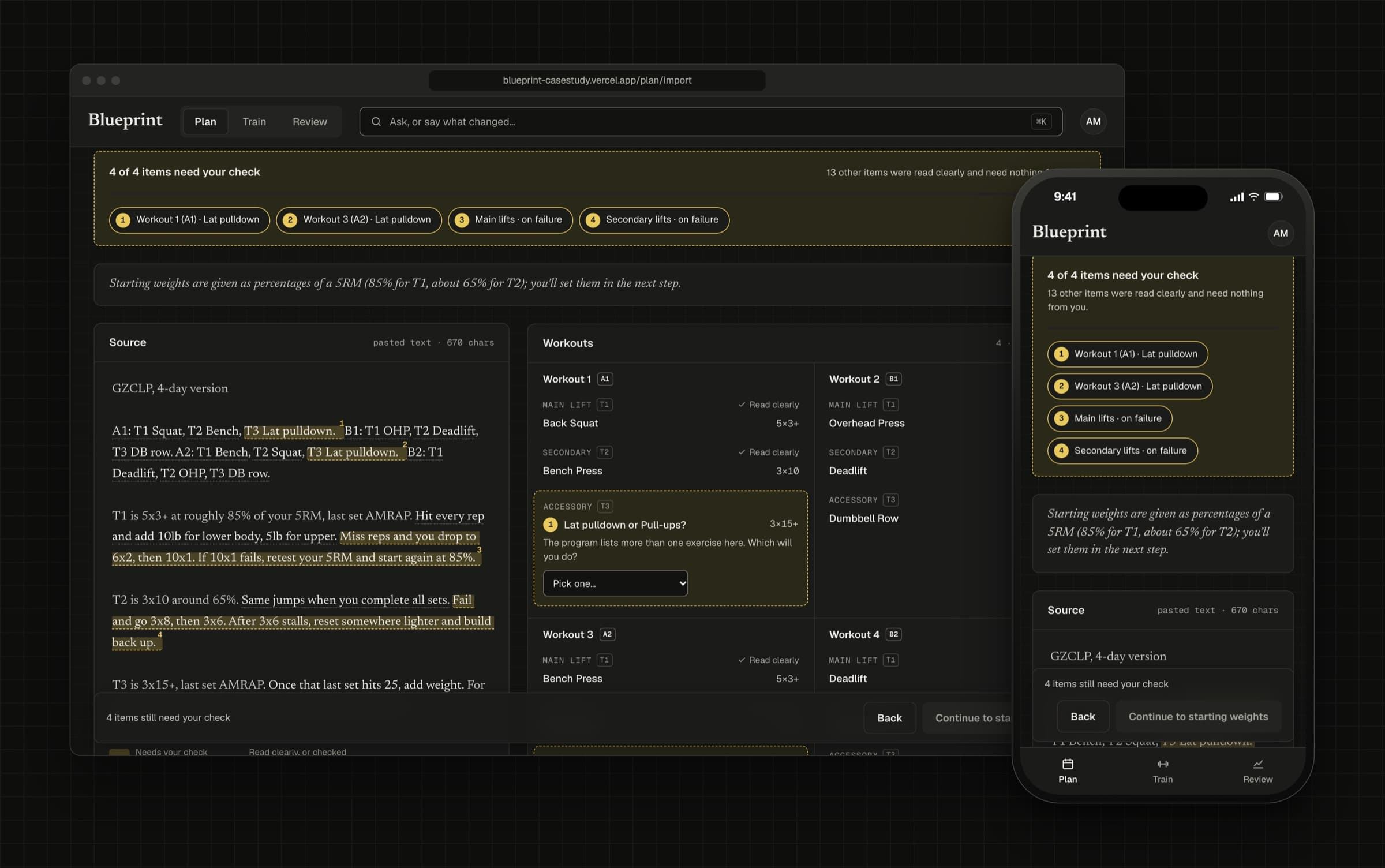
That clarity came from a second round. When I showed the app to people, they couldn't tell where to start, the difference between “check this” and “the AI was confident” was too subtle, the steps of import didn't feel like one flow, and program shorthand like T1 and A1 meant nothing to them.
- A welcome screen with three ways in, and a sample-data bar and short checklist that follow you until you use your own program.
- Plain names first: “Main lift” with T1 as a small tag, “Workout 4” with B2 beside it, and an in-place note explaining both.
- One shape for every multi-step flow: a stepper you can click back through, a title and instruction per step, and the same pinned Back and Continue bar.
A drafting-table look
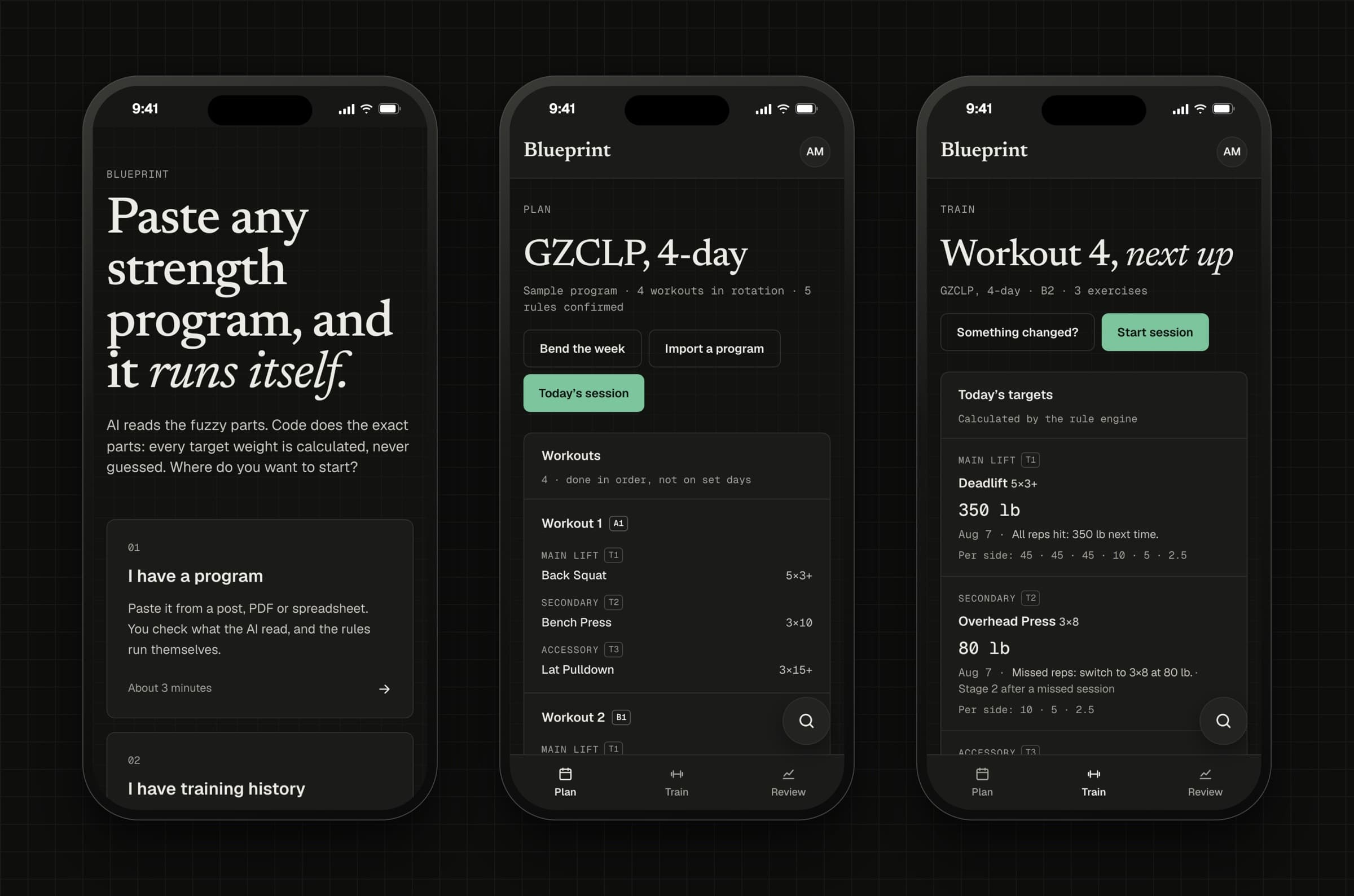
I explored three directions and blended two: the clarity of a drafting table with the editorial voice of a field journal. Newsreader carries titles and the AI's reasoning, Geist every control, and Geist Mono every number, with tabular figures so columns and timers never jitter. It's dark by default, with light and system themes.
Gym mode is its own, darker screen, built for a phone propped on a bench: the lift and set count at the top, the weight given the open middle, and the controls together at the bottom where a thumb reaches.
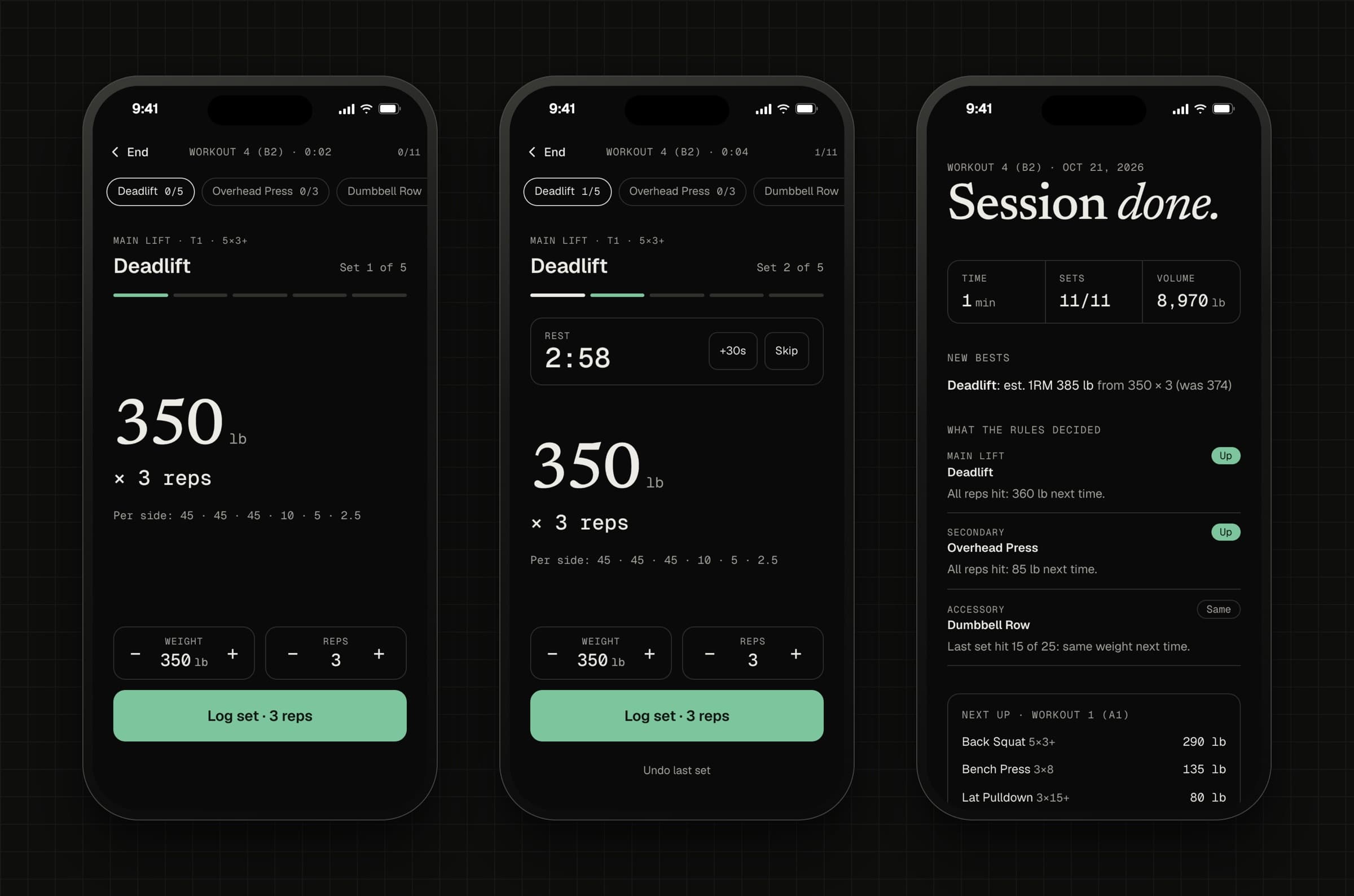
Motion is calm and explains change: pages crossfade while the header holds still, the mode tab glides, a flow's next step slides in from the side you moved toward. All of it turns off with reduced motion.
Engineering the exact parts
- A rule engine for five kinds of progression (linear, stages on failure, AMRAP thresholds, double progression and percentage cycles), with a lifter's current state worked out from their log.
- Offline-first gym mode: the session saves to the browser after every set, a service worker caches the app, and an installed copy opens straight to Train.
- Ask runs its analysis tools in the browser, so the raw log stays on the device; only the question and computed results go to the model.
- Every AI response is validated against a schema, then checked by code before you see it.
for (const p of proposals) {
  const session = upcoming[p.position];
  if (!session) {
    reject("It refers to a session that isn't coming up.");
    continue;
  }
  const replacement = exercises.get(p.exercise_id);
  if (!replacement) {
    reject(`“${p.exercise_id}” isn't in the exercise library.`);
    continue;
  }
  if (gym && !gym.equipment.includes(replacement.equipment)) {
    reject(`${gym.name} has no ${replacement.equipment} for ${replacement.name}.`);
    continue;
  }
  // The model never sets a weight: code does, from the log.
  const weight = substituteWeight({ exercise: replacement, reps, sessions, gym });
  accept({ ...p, weight });
}
Working with AI
Inside the app, Claude reads programs, matches messy exercise names, plans which analyses answer a question, and proposes changes to a week. It runs on Claude Haiku, the low-cost model, which is plenty for small structured jobs and keeps running costs to cents. The public demo runs with no key at all: each AI feature opens a labelled scripted example, so visitors see the full flow and nobody can spend my credits.
To build it, I worked with Claude Code as my engineering pair. I set the direction, the structure and the design, reviewed every screen, and pushed back when something was off; it wrote and tested much of the code. Running the features live surfaced things the scripted examples never could: Ask's tools broke an API limit on optional fields, and the cheaper model occasionally read a program without its rules, so it now reads once more before giving up.
Testing
- 140 unit tests, covering the rule engine, both imports, Ask's analysis tools and Bend the week's checks.
- An automated accessibility scan of 76 screen states, phone and desktop, dark and light, plus scripted keyboard walkthroughs of every flow and dialog.
- Screenshots of every screen at phone and desktop sizes after each round, judged by eye rather than by reading the code.
Outcome and next steps
Blueprint is live as an installable web app with a public demo, built around one idea: the AI can read and suggest, but it never decides the numbers. The second round, shaped by people who tried it, did more for clarity than any single feature.
Next, I'd test it with lifters running their own programs over several weeks, measure whether import saves time against rebuilding a template by hand, and explore Depth, an on-device form check where the AI only ever sees the measurements.
The biggest lesson: making an AI's uncertainty visible is a design problem first. The model was rarely the bottleneck; showing people where to look was.